
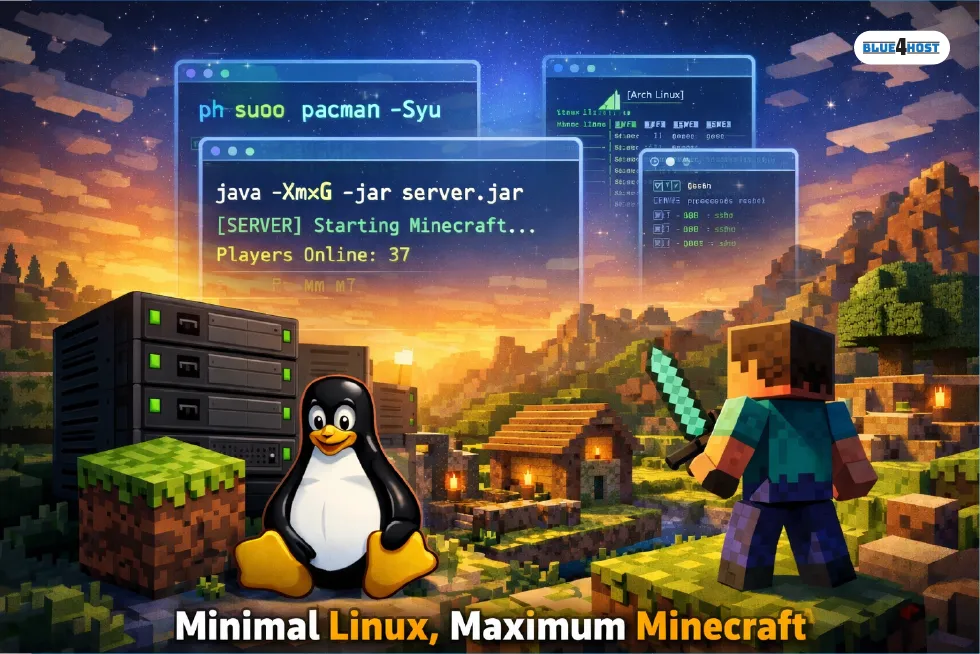
Running a Minecraft server sounds simple until real players show up. As soon as chunks start loading nonstop, redstone farms kick in, and plugins or mods pile up, performance problems follow. Lag spikes, memory exhaustion, and random crashes are common pain points for server admins. This is exactly where Minecraft PlugboxLinux has started gaining attention as a performance-focused way to host modern Minecraft servers with fewer compromises.
Before going further, it’s important to clarify what people usually mean by PlugboxLinux. It’s not a polished, consumer-facing Linux distribution with an official download page. Instead, the term is commonly used to describe a minimal, Arch-based Linux environment inspired by early “plugbox” setups—lean systems originally designed for efficiency on low-resource hardware. In today’s Minecraft hosting context, Minecraft PlugboxLinux refers to applying that same minimal philosophy to a server: stripping the OS down to essentials so Minecraft gets priority access to CPU, RAM, and disk I/O.
This guide explains what Minecraft PlugboxLinux really represents, why server admins use it, how it compares with other operating systems, and whether it’s worth the effort for serious Minecraft hosting.
What Makes Minecraft PlugboxLinux Different?
Most Minecraft servers start on Ubuntu Server, Debian, or even Windows. These platforms work, but they also ship with background services, defaults, and packages that aren’t strictly needed for a headless game server.
Minecraft PlugboxLinux focuses on one core idea: do less, but do it faster.
Key differences include:
- Extremely low idle memory usage
- Minimal background services
- Full control over installed packages
- Faster boot and restart cycles
- Predictable performance under load
Instead of adapting Minecraft to the operating system, this setup adapts the operating system to Minecraft. That’s why it appeals to admins running multiplayer servers with dozens of concurrent players or heavy plugin stacks.
Why Server Admins Choose PlugboxLinux for Minecraft
1. Lower Memory Usage = More Stable TPS
Minecraft is memory-hungry by design. Chunk loading, entity AI, redstone logic, and mods all compete for RAM. A minimal Arch-style setup like Minecraft PlugboxLinux typically idles at a fraction of the memory usage of general-purpose servers.
Real-world comparisons often look like this:
| Operating System Setup | Typical Idle RAM Usage |
|---|---|
| Windows Server | 1.5–2.0 GB |
| Ubuntu Server | 500–700 MB |
| Minecraft PlugboxLinux (minimal) | 120–250 MB |
That extra free memory directly translates to smoother gameplay and more stable TPS during peak hours.
2. Cleaner Server Management
With Minecraft PlugboxLinux, you install only what you need:
- Java runtime
- Network utilities
- Monitoring tools
- Backup scripts
There’s no desktop environment, no unnecessary daemons, and no mystery processes stealing CPU cycles. When something breaks, troubleshooting is faster because there’s less noise in the system.
3. Tuned for High-Performance Hosting
Because this setup is Arch-based in spirit, admins benefit from newer kernels, updated Java builds, and fine-grained tuning options. That’s especially valuable when running optimized server software like Paper, Purpur, or Fabric, where small performance gains matter.
Java and Bedrock: Full Cross-Platform Support
A major strength of Minecraft PlugboxLinux is flexibility. You can comfortably host:
- Minecraft Java Edition servers
- Minecraft Bedrock Edition servers
- Hybrid setups supporting both
Many admins use proxy tools to allow Java and Bedrock players to join the same world. Since the operating system overhead is low, running multiple server instances side by side is far more practical than on heavier platforms.
Networking is straightforward as well. Java servers typically run on port 25565, while Bedrock uses different ports depending on configuration. Firewall rules and port forwarding remain simple because there are fewer default services to account for.
How to Run Minecraft on PlugboxLinux (Practical Overview)
This setup is aimed at intermediate to advanced users. You don’t need to be a Linux expert, but basic command-line confidence helps a lot.
Step 1: Minimal System Installation
Install a barebones Arch-style system with only core packages. No graphical interface is required. The goal is a clean base that boots fast and uses minimal memory.
Step 2: Install Java
Minecraft servers require Java. Most admins choose an OpenJDK build suitable for their Minecraft version. Keeping Java updated is easier on rolling-release systems and often results in performance improvements.
Step 3: Prepare Server Files
Create a dedicated directory for the server, download the official Minecraft server JAR, and accept the EULA. At this stage, following the official Minecraft server documentation helps avoid version mismatches and startup errors.
Step 4: Memory and CPU Tuning
Allocate RAM carefully. Too little causes lag; too much can trigger garbage collection issues. A balanced approach usually works best.
| Server Size | Recommended RAM |
|---|---|
| Small (5–10 players) | 2–3 GB |
| Medium (20–40 players) | 4–6 GB |
| Large (50+ players) | 8–12 GB |
CPU pinning and JVM flags can further improve performance, especially on multi-core systems.
Mods, Plugins, and Long-Term Stability
Minecraft PlugboxLinux handles heavy mod and plugin setups extremely well. Since the OS isn’t competing for resources, performance remains consistent even under sustained load.
Common use cases include:
- Paper servers with 40+ plugins
- Fabric-based modded SMPs
- Economy and minigame networks
- Private community servers running 24/7
For long-term hosting, stability matters just as much as raw speed. With controlled updates, regular backups, and conservative JVM tuning, servers can run for months without downtime.
Comparing PlugboxLinux to Other Operating Systems
| Feature | Minecraft PlugboxLinux | Ubuntu Server | Windows Server |
|---|---|---|---|
| Idle Memory Usage | Very low | Moderate | High |
| Customization | Full control | Medium | Limited |
| Update Model | Rolling | LTS-based | Manual |
| Performance Focus | Excellent | Good | Average |
| Skill Requirement | Advanced | Beginner-friendly | Beginner-friendly |
Ubuntu Server remains a great choice for beginners. Windows Server can work but usually consumes more resources. Minecraft PlugboxLinux stands out for admins who value efficiency and control over convenience.
Pros and Cons of Minecraft PlugboxLinux
| Pros | Cons |
|---|---|
| Extremely low resource usage | Requires Linux knowledge |
| Excellent performance under load | Rolling updates need monitoring |
| Full control over environment | No official “one-click” installer |
| Ideal for long-running servers | Setup time is longer |
| Scales well for multiple servers | Not beginner-friendly |
It’s not the easiest path, but it’s one of the most powerful once configured correctly.
FAQ’s
Yes, absolutely. Minecraft runs very well on Linux. Both the official server software and third-party implementations fully support Linux environments. In fact, most large public Minecraft servers run on Linux due to its stability, performance, and flexibility. Minecraft PlugboxLinux simply takes that Linux advantage further by minimizing overhead.
For players, Minecraft Java Edition is a one-time purchase, typically around the $30 range depending on region and taxes. Server software itself is free to download and use. Hosting costs depend on hardware or VPS pricing, not on Minecraft licensing.
Minecraft PlugboxLinux is best suited for server owners hosting medium to large communities, admins running plugin-heavy or modded servers, and those managing multiple servers on a single machine where performance and efficiency are paramount. While a simpler setup may suffice for hosting a small private world among friends, this specialized approach truly shows its value once player counts rise and maintaining consistent uptime becomes critical.
Final Thoughts
Minecraft PlugboxLinux isn’t a magic operating system or a downloadable product—it’s a performance philosophy applied to Minecraft hosting. By combining a minimal Arch-style Linux environment with careful Java tuning and clean server management, admins can achieve smoother gameplay, better stability, and more predictable performance.
It does require more hands-on effort, but for serious Minecraft server administrators, the payoff is real. If control, efficiency, and long-term stability matter to you, Minecraft PlugboxLinux is a setup well worth considering.
RELATED ARTICLE: How to Become an UndergrowthGames Contributor – Roles, Benefits, and Real Opportunities